


Email Signature Manager: Centralized Control, Instant Company-Wide Consistency
With HiHello, every email signature is on-brand, compliant, and automatically deployed in minutes.

Trusted by 2,000+ global brands


HiHello Email Signature Manager gives marketing and IT teams centralized control over every employee email signature — branded, compliant, campaign-ready, and automatically deployed to Google Workspace and Microsoft Outlook.
Automate your organization’s email signature management
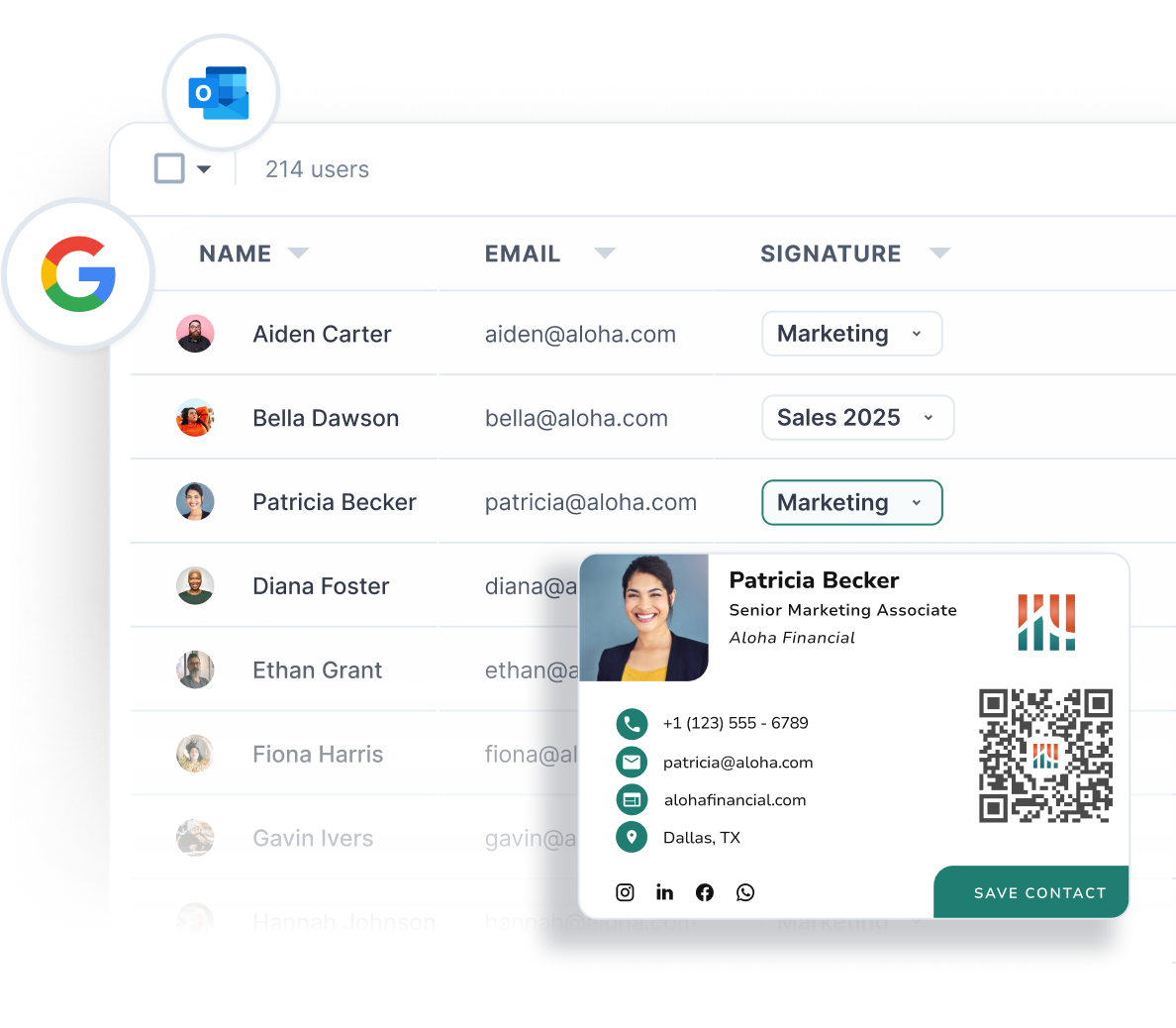
HiHello integrates with Google Workspace and Microsoft Outlook to automatically turn every employee’s contact information into a branded email signature. Insert signatures directly into Gmail and Outlook for every employee and push updates instantly to one person, a specific team, or your entire company.
Ensure every email is
beautiful and compliant
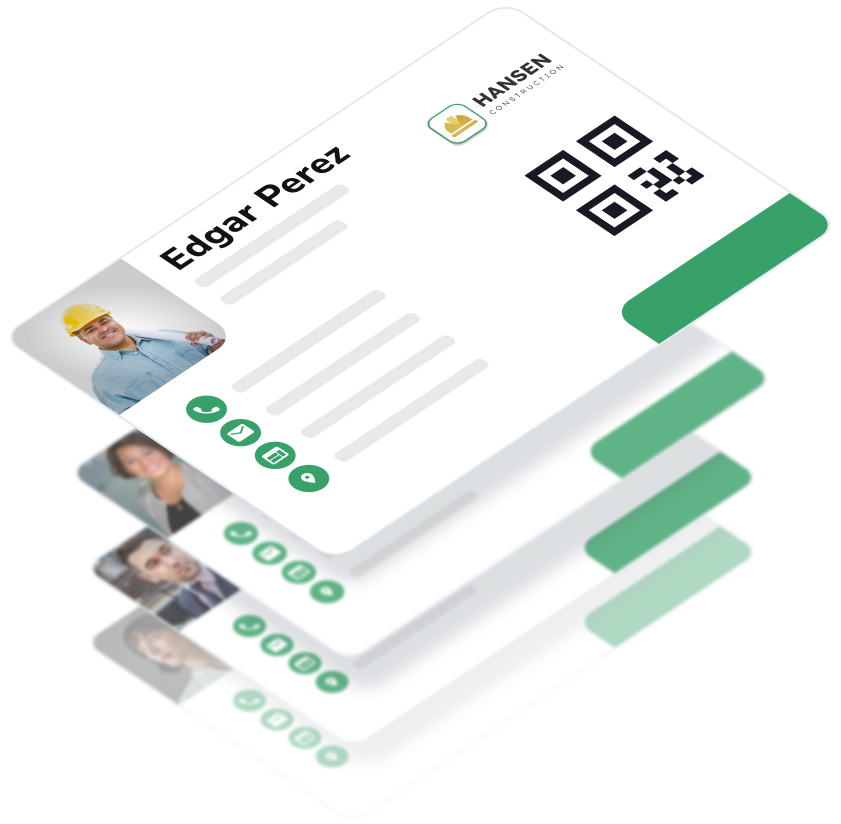
HiHello centralizes branded email signatures across your company for consistent, professional communication. Teams can control every detail from customizing layouts, colors, fonts, and fields, to toggling elements as needed, and assigning signature styles by team.
Create, manage, and deploy email signatures across your team
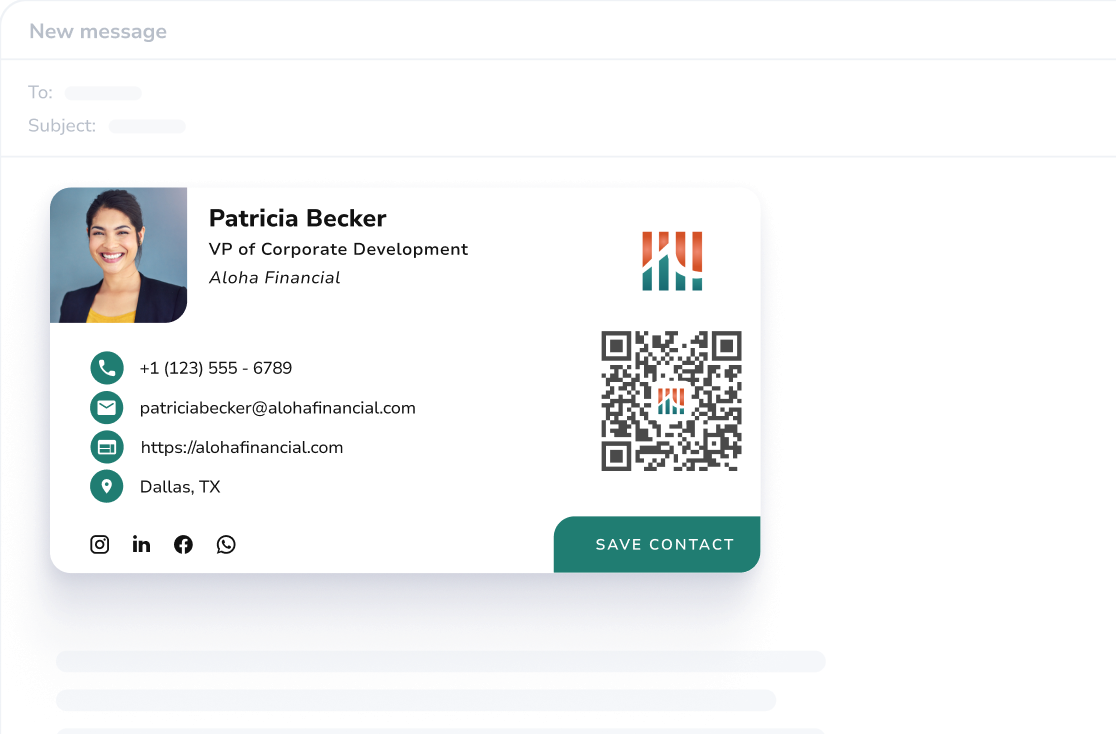
Build fully custom signatures
Choose from multiple style options helping you and your brand standout. Define the layout and which fields to show.
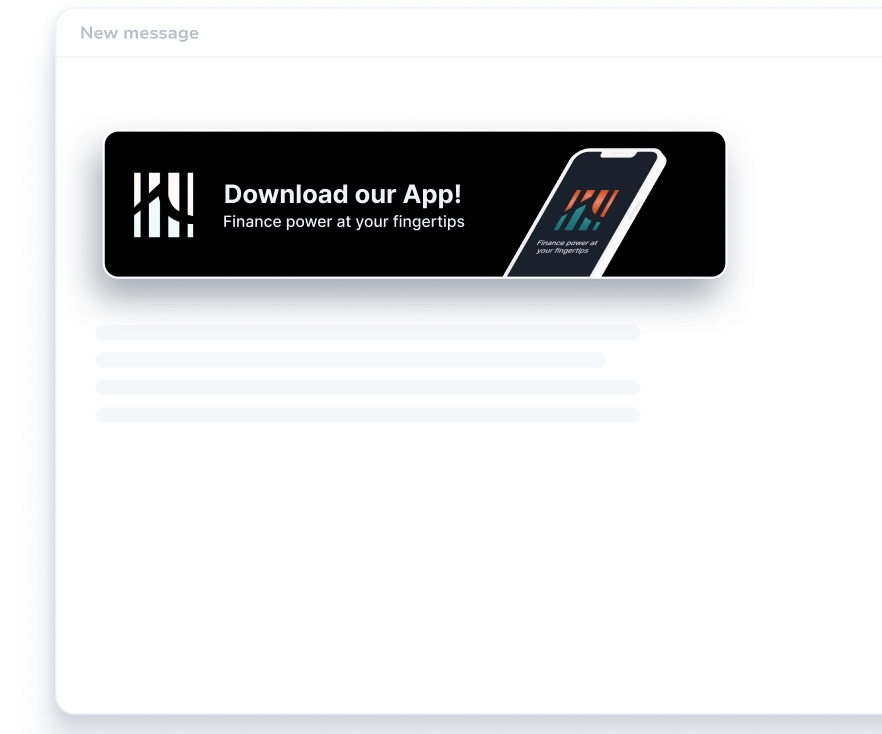
Launch marketing campaigns
Empower your team to promote events, offers, and announcements with custom email banners in every signature.
Enforce compliance
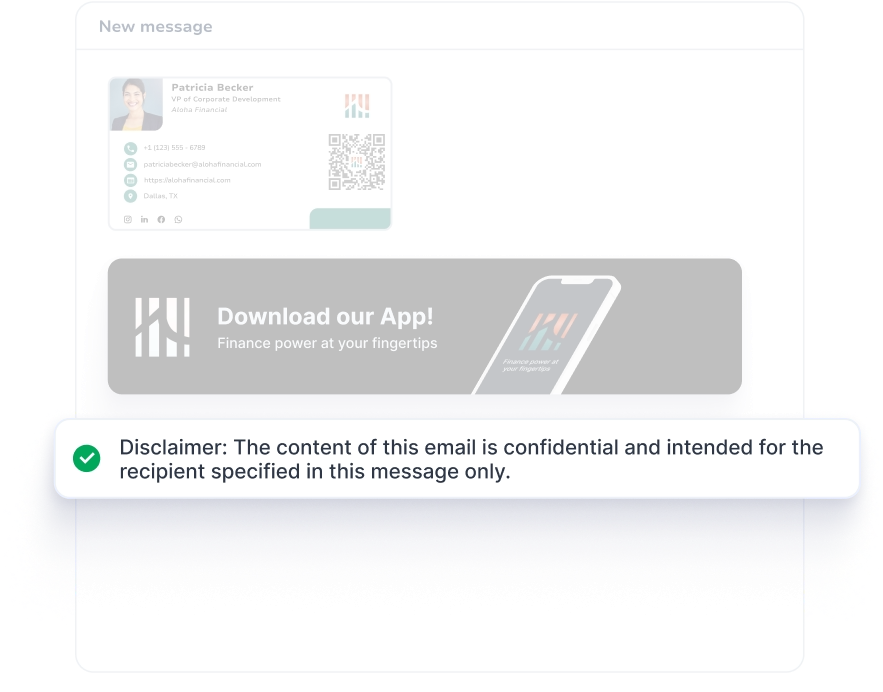
Ensure compliance with mandatory email disclaimers, reducing liability risks.
Signatures by department, office, or role
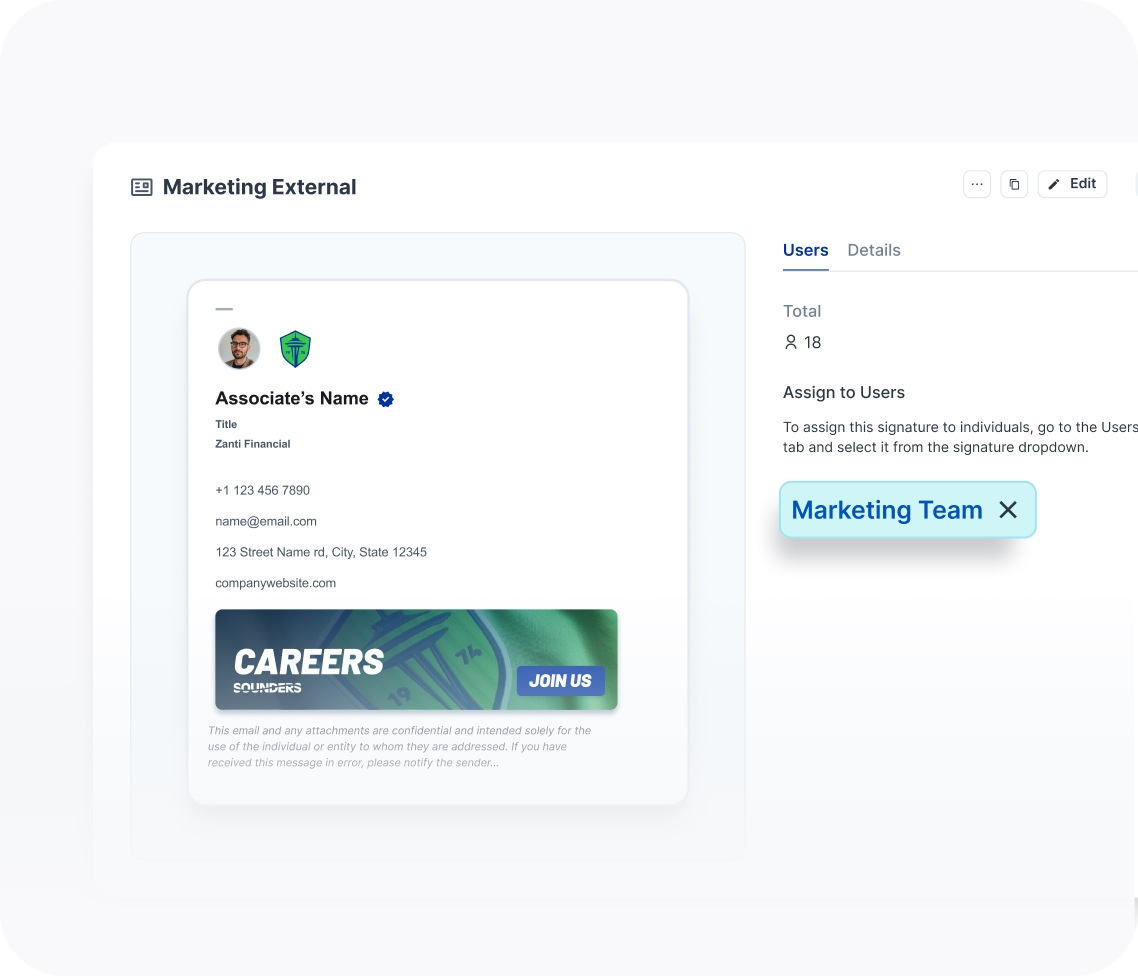
Give each team a signature designed for their specific workflow.
Signature solution for every business
Simplied for Marketing, advanced tools for IT
HiHello for Marketing
Make every email an extension of your brand, with full control over design, messaging, and campaign visibility.

Custom banners for each team
Complete brand governance
Custom disclaimers
HiHello for IT
Simplify setup and maintenance with seamless integrations into your existing tools.
Google Workspace
Microsoft Outlook
Works on all devices

HiHello for Operations
Save time and reduce manual work with centralized management and automated deployment.
Google Workspace
Microsoft Outlook
Works on all devices
Check out what people are saying about HiHello
HiHello's email signature product has made our remote team appear far more professional in our email communication. It has been adopted by many of our partners as well.


HiHello makes creating a more unique and personalized business card and email signature as easy as possible. Took minimal effort and the built in guidance and support make it really fool proof.
Our organization has integrated HiHello into our email signatures and its perfect to share our information when reaching out to other organizations.
HiHello is really easy to use - my company added the functionality this year & it's made our emails look a lot more professional.
HiHello's Email signature business card is an easy way to make my contact information readily available and include all professional links in one place.
Frequently Asked Questions About HiHello Email Signature Manager
Get answers to the most common questions about HiHello and email signatures.
What is HiHello's Email Signature Manager?

HiHello's Email Signature Manager is centralized email signature software that gives marketing and IT teams control over every employee email signature — branded, compliant, campaign-ready, and automatically deployed to Google Workspace and Microsoft Outlook. Unlike standalone signature tools, it connects to each employee's profile so signatures update automatically when details change, with no manual effort from employees or admins.
Is HiHello just a digital business card tool?
HiHello is a professional presence platform — email signatures are one of its core products alongside digital business cards. What makes HiHello's Email Signature Manager uniquely powerful is that it's part of this integrated ecosystem: signatures pull directly from each employee's profile, so when a name, title, or contact detail changes anywhere, it updates automatically across both their signature and their digital business card. You get more than a standalone signature tool — you get a unified system where every professional touchpoint stays consistent and current without any manual effort.
Can I customize email signatures for different teams or roles?
Yes. HiHello lets admins assign unique signature templates by individual user, department, role, or region, giving complete control over how the brand appears across the organization. Each team can have its own layout, banner, disclaimer language, and field configuration — all managed centrally without any action required from individual employees.
Does HiHello support compliance disclaimers and legal requirements?
Yes. HiHello lets admins add mandatory legal disclaimers, privacy policies, and regional compliance text to signature templates, ensuring every employee has the correct compliance language in place. Templates can be customized by individual user, department, or region to meet GDPR, HIPAA, and other jurisdiction-specific requirements — giving compliance and legal teams centralized control over what goes out in every email.
How does HiHello deploy email signatures — is it server-side?
HiHello deliberately does not use server-side signature injection, which means HiHello never reads, intercepts, or processes your employees' emails. Signatures are deployed directly to Google Workspace and Microsoft Outlook at the account level from a central admin dashboard — no email routing through third-party servers, no privacy tradeoffs, and significantly less IT setup than server-side tools require. For organizations with data privacy requirements, this is a meaningful advantage over server-side alternatives.
How do updates work if employee details change?
When an employee updates their name, title, phone number, or any other detail, their email signature updates automatically across the whole company — no admin action required. HiHello pulls information directly from each employee's profile, so the signature is always current without anyone manually editing it.
How do I set up HiHello's Email Signature Manager for my company?
Setting up HiHello's Email Signature Manager is fast and straightforward. Connect your organization's Google Workspace or Microsoft Outlook account, choose or customize a signature template, add banners, legal disclaimers, and other key details, then deploy signatures instantly from one centralized dashboard.
How does HiHello integrate with our existing email tools?
HiHello integrates directly with Google Workspace and Microsoft Outlook, automatically deploying branded signatures to every employee without requiring any action on their part. Updates pushed from the admin dashboard appear in employee email clients immediately — no plugins, no manual installs, no per-device configuration.
Can we include banners, disclaimers, and links in our signatures?
Yes. HiHello supports custom banners with trackable links, mandatory legal disclaimers, social profile links, calendar links, and promotional CTAs — all configurable by team or department. Marketing teams can schedule banner campaigns in advance and update messaging across the entire company in a single action without touching individual signatures.
Is HiHello's Email Signature Manager secure and compliant?
Yes. HiHello is built with enterprise-level security and supports mandatory compliance enforcement, GDPR-compliant data handling, and consistent application of legal and branding requirements across all employee communications. Compliance text is managed centrally by admins and can be customized by team, department, or region.
How does HiHello compare to other email signature tools?
HiHello delivers everything you expect from an email signature tool—centralized control, branded templates, and auto-deployment to Google Workspace and Outlook—but it goes further. It manages your team’s professional presence across multiple channels, ensuring branding stays consistent across emails, digital business cards, virtual meetings and more. Unlike platforms like Exclaimer and CodeTwo, which rely on server-side injection, HiHello is faster to set up and more secure—your emails do not get routed through third-party servers. The result is a unified system where every professional touchpoint, not just email, stays on-brand and up to date automatically.
Can I schedule email signature banner campaigns in advance?
Yes. HiHello lets marketing teams create and schedule banner campaigns across every employee signature — without touching individual signatures or involving IT. Set a start and end date for each campaign and HiHello handles the rest, updating banners company-wide at exactly the right time. Every employee's signature stays current with the latest promotion, event, or announcement automatically.